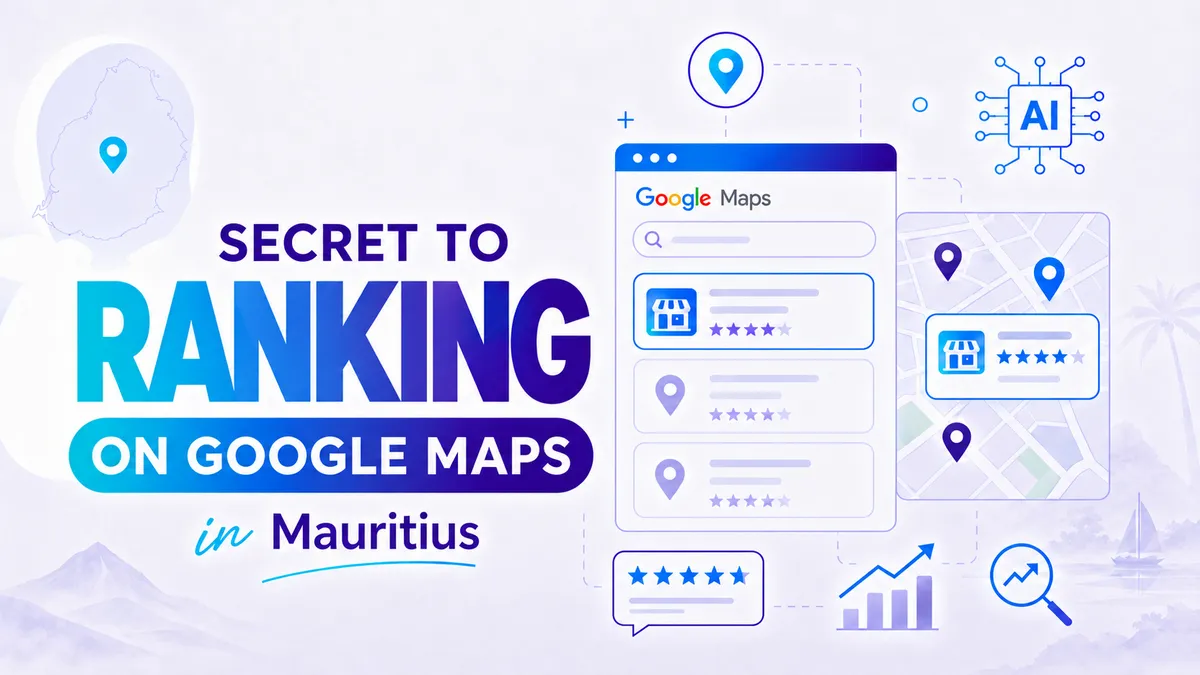
Someone in Mauritius searches “restaurant near me”, “plumber near me”, “web designer Mauritius”, or “dentist Port Louis”. They do not want to browse ten websites. They want a business they can trust now.
That is why Google Maps matters.
For many SMBs, Google Maps can bring better leads than social media. The person searching already has intent. They need a service, they are comparing options, and they may call the business that looks most reliable.
The problem is simple. Many companies in Mauritius set up a Google Business Profile once, then forget it. No new photos. No review process. No replies. No service updates. No connection between the profile and the small business website.
AI can help you fix that without adding more work to your day.
Why Google Maps brings strong leads
Google Maps is not just a map. It is a decision tool. Customers look at your star rating, reviews, photos, location, opening hours, website link, and response style before they contact you.
In Mauritius, this matters even more because many searches happen on mobile. DataReportal reported 2.14 million cellular mobile connections in Mauritius in early 2025. That is more connections than people, which shows how mobile-first local discovery has become.
When your Google profile looks active and trustworthy, you reduce doubt. When it looks abandoned, customers move on.
How Google decides who appears on Maps
Google explains local ranking through three main factors: relevance, distance, and prominence.
Relevance
Relevance means your profile matches the search. If you are a web design company, your categories, services, description, posts, and website should make that clear. A vague profile makes Google guess.
Distance
Distance means how close your business is to the searcher or the location used in the search. You cannot automate distance. But you can make your service areas clear, especially if you serve clients across Mauritius.
Prominence
Prominence is where most SMBs can improve. It includes signs that your business is known and trusted. Reviews, links, mentions, website quality, photos, and online consistency all help build that trust.
Google’s own guidance is clear: local results are built around relevance, distance, and prominence.
That gives you a practical plan. You do not need tricks. You need a stronger profile, a better review system, and a small business website that supports your local signals.
Step 1: Build a review process that works
Most happy customers will not leave a review unless you ask. They may love your service, but they are busy. You need to make the process easy.
Create a direct review link and place it where customers already interact with your business:
- Your website footer or thank-you page
- Your invoice or receipt email
- Your WhatsApp follow-up message
- Your email signature
- Your booking confirmation page
A review link can use a structure like this:
https://search.google.com/local/reviews?placeid=YOUR_PLACE_ID
You replace YOUR_PLACE_ID with your business Place ID. Then customers can click and go straight to the review area instead of searching for your business again.
This small change matters. The fewer steps people take, the more reviews you collect.
Step 2: Use AI to reply faster, not fake trust
Reviews are not just for Google. They are for people. A customer reading your reviews wants to see how you handle praise, complaints, delays, and questions.
AI helps you reply faster. For example, you can create a short prompt that turns each review into a clear, professional response:
- Thank the customer by name if available.
- Mention the service they used.
- Keep the reply natural and specific.
- Invite them to contact you again.
- Never argue in public.
Here is a simple AI prompt you can use:
Write a warm Google review reply for a business in Mauritius. Keep it under 60 words. Sound human. Mention the service if it is included in the review. Do not overdo the keywords.
This helps SMBs respond quickly without sounding robotic. But you should still review the reply before posting. A copied response repeated fifty times looks lazy.
BrightLocal’s 2025 review research shows that consumers read reviews carefully and compare details before they decide.
That means your replies are part of your sales process. They show how you treat people.
Step 3: Connect your reviews to your website
Your Google Business Profile and your small business website should support each other. Many businesses in Mauritius miss this step.
Add a review section on your homepage. Link your “Leave a review” button to your Google review link. Add your business name, phone number, address, and opening hours exactly as they appear on Google. Keep this consistent across your website, Facebook page, directories, and invoices.
You can also add service pages for each main offer. For example, a clinic can have pages for dental cleaning, whitening, implants, and emergency appointments. A contractor can have pages for renovation, waterproofing, painting, and maintenance.
This gives Google clearer signals. It also helps customers find the right information faster. If your current website is slow, outdated, or does not convert visitors, read our guide on AI website redesign in Mauritius.
Step 4: Keep your profile active every month
A strong Google profile is not a one-time setup. You need simple monthly actions:
- Add fresh photos of your work, shop, team, or products.
- Update holiday opening hours.
- Answer new questions in the Q&A section.
- Add new services when your offer changes.
- Reply to every review, good or bad.
AI can help prepare posts, review replies, service descriptions, and FAQ answers. Your team checks the details and publishes the final version.
That is the right balance. Automation saves time. Human review keeps the business credible. If you also publish blog content, our guide on using AI content without hurting your Google ranking explains how to keep content useful and human.
How Web Studio helps local businesses in Mauritius
Web Studio does not treat Google Maps as a separate task. We connect it to your website, SEO, and lead generation process.
We review your Google Business Profile, check your categories, map your services, improve your local landing pages, and add review links to your website. We can also help you create AI-assisted review reply templates that sound like your business, not like a machine.
For Mauritius businesses, this matters because local SEO works best when everything is connected. Your profile, your reviews, your website, and your contact process should all tell the same story.
Useful internal resources: web design, SEO, AI automation and website maintenance services, website cost in Mauritius, AI for e-commerce shops in Mauritius, and past web design projects.
FAQ
How often should I ask customers for reviews?
Ask after every completed job, delivery, appointment, or successful customer interaction. Do it while the experience is still fresh.
Should I reply to negative reviews?
Yes. Reply calmly, acknowledge the issue, and invite the customer to continue the conversation privately. Future customers read how you handle problems.
Can I offer discounts for reviews?
No. Do not buy reviews or reward only positive reviews. Ask honestly and let customers share their real experience.
Where should I place my Google review link?
Place it on your website, WhatsApp follow-ups, email signature, invoices, and thank-you pages.
Does Google Maps SEO work for service businesses without a shop?
Yes. Service-area businesses can still use Google Business Profile, but the setup must be accurate and follow Google’s rules.
Claim a free Google Local Business review
You do not need to guess why competitors appear above you on Google Maps. You need a clear review of your profile, your website, and your local SEO signals.
Want more local leads? Contact Web Studio for a free Google Local Business review. We will show you what is missing and what to fix first.
Sources: Google Business Profile local ranking guidance, BrightLocal Local Consumer Review Survey 2025, DataReportal Digital 2025 Mauritius.